Microsoft Office 2019 Standard

Microsoft Office 2019 Standard: unleashing the potential on 3 PCs

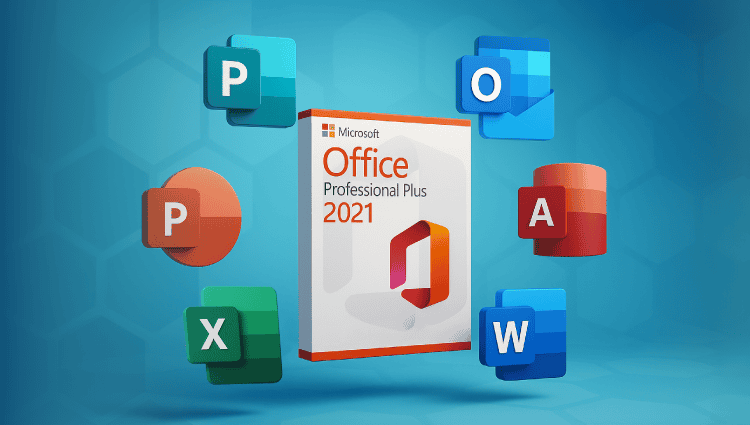
Microsoft Office 2019 Standard is synonymous with productivity, and the ability to use licenses on up to 3 PCs further extends its reach. This allows users to maximize their potential on multiple devices, whether at work, at home, or on the go. Let’s explore the features of Microsoft Office 2019 Standard and how its 3-PC licenses allow users to do more.

Word:

Word in Microsoft Office 2019 Standard Allows users to easily create professional documents, and with licenses for up to 3 PCs, productivity has no limits. Whether drafting reports in the office, CVs at home, or letters on a second device, users can take advantage of Word's capabilities in various environments.

Excel:

Excel in Microsoft Office 2019 Standard enables users to analyze data and make informed decisions, and the inclusion of 3 PC licenses enhances its accessibility. Whether processing numbers on a desktop computer, a laptop computer, or a tablet, users can take advantage of the Excel features across multiple devices to get information wherever they are.

PowerPoint:

PowerPoint in Microsoft Office 2019 Standard simplifies the creation of captivating presentations, and the provision of 3 PC licenses ensures consistency across all devices. Whether refining a PowerPoint presentation in a meeting room, at a home office, or on a travel laptop, users can present with confidence.

Outlook:

Outlook in Microsoft Office 2019 Standard makes managing email and the calendar easier, and the inclusion of 3 PC licenses allows for seamless connectivity across multiple devices. Whether for viewing their emails on the main computer, a laptop, or a mobile device, users can stay organized and responsive in any environment.

Publisher (only on Microsoft Windows):

Publisher in Microsoft Office 2019 Standard allows users to design professional publications, and with 3 PC licenses, creativity has no limits. Whether you need to create marketing material in the office, event flyers at home, or brochures on a second device, Publisher offers great versatility across multiple PCs.

OneNote:

OneNote allows users to easily capture and organize their ideas, and thanks to the 3 Microsoft Office 2019 Standard PC licenses, note syncing is seamless. Whether they’re taking notes on a desktop computer, tablet, or smartphone, users can access and collaborate on their notes across multiple devices, fostering productivity and creativity.

Conclusion:

Microsoft Office 2019 Standard, With its powerful features and 3 PC licenses, it enables users to unleash their potential across multiple devices. Whether creating documents in Word, analyzing data in Excel, or presenting with PowerPoint, users can easily switch between environments, ensuring productivity and collaboration in today’s dynamic professional world.
Microsoft Office 2016 Professional

The power of Microsoft Office 2016 Professional: an in-depth analysis of its specifications

Microsoft Office 2016 Professional represents the pinnacle of productivity software, offering a comprehensive suite of tools to streamline workflows and facilitate smooth collaboration. In this analysis, we explore the specifications of Microsoft Office 2016 Professional, uncovering its features and capabilities that enable users to achieve their goals with precision and efficiency.

Full suite of applications:

Microsoft Office 2016 Professional includes a versatile range of applications designed to meet the diverse needs of modern professionals. Key components include:

  • Microsoft Word: a text editor rich in features for easily creating documents, reports and letters.
  • Microsoft Excel: an advanced spreadsheet application for analyzing data, creating charts, and performing complex calculations.
  • Microsoft PowerPoint: a dynamic presentation software for creating striking slideshows with multimedia elements.
  • Microsoft Outlook: an integrated email client and personal information manager for managing emails, calendars, and contacts.
  • Microsoft Access: a powerful database management system for organizing and analyzing large data sets.
  • Microsoft Publisher: a computer-assisted publishing tool for creating professional-quality publications, including brochures and newsletters.

Advanced features and improvements:

Microsoft Office 2016 Professional introduces many innovative features and improvements aimed at increasing productivity and collaboration. Notable additions include:

  • Real-time collaboration: Collaborate with your colleagues in real time on documents, spreadsheets, and presentations for a fluid teamwork and faster decision-making.
  • Improved data analysis: Excel offers new functions, charts, and data analysis tools to help users extract useful information from their data and make informed decisions.
  • Optimized communication: Outlook offers new email management tools, improved calendar features, and integrated task management for increased productivity.
  • Secure sharing and collaboration: Microsoft Office 2016 Professional integrates advanced security features such as information rights management (IRM) and encryption to protect sensitive information and ensure secure sharing.

Required configuration and compatibility:

To ensure optimal performance, it is important to take into account the system requirements of Microsoft Office 2016 Professional:

  • Operating system: compatible with Microsoft Windows 7 or later, Microsoft Windows Server 2008 R2 or later, and macOS 10.10 or later.
  • Processor: Requires an x86 or x64 bit processor of 1 GHz or faster with SSE2 instruction set.
  • Memory: a minimum of 2 GB of RAM (32-bit) or 4 GB of RAM (64-bit) is recommended for better performance.
  • Storage: Approximately 3 GB of available disk space for installation, with additional space required for updates and temporary files.
  • Screen: a monitor with a minimum resolution of 1280 x 800 pixels or more for optimal display.

Conclusion:

With its complete suite of applications, its advanced features and its robust performance, Microsoft Office 2016 Professional It enables users to accomplish their tasks with efficiency and precision. By leveraging the power of Microsoft Office 2016 Professional, individuals and organizations can streamline their workflows, enhance collaboration, and improve their productivity on a daily basis.

Text Trust Me

Welcome to shop.winandoffice.com!Your premier source for Microsoft products and services! We understand the importance of technology in today's world, which is why we are proud to offer you a complete range of Microsoft software, including Microsoft Windows and Microsoft Office. Our platform allows you to easily download Microsoft products, accompanied by a transparent invoice including our VAT number and proof of license origin.

After successfully placing your order, you will receive your purchased license and an SSL-encrypted link via email. Using this link, you can not only download the software you desire but also access the corresponding installation instructions. This efficient process saves shipping costs and simultaneously provides professional support from our competent service team.

Our mission is to provide you with a seamless experience. That's why we offer ultra-fast, 2-minute shipping. Our dedicated multilingual customer service team is available 24/7 to provide you with complete expertise at any time, whether via live chat or email.

Our commitment to customer satisfaction is also reflected in our lifetime product warranty to ensure your long-term satisfaction. We know flexibility is important. That's why we offer a return policy to ensure you are completely satisfied with your purchase.

For more information, support, or inquiries, we are available 24/7.

AINGSUMON KINSEN
VAT Number: FR 93377853524
Address: Wernher-Von-Braun-Strasse 16, 63303 Dreieich, Germany