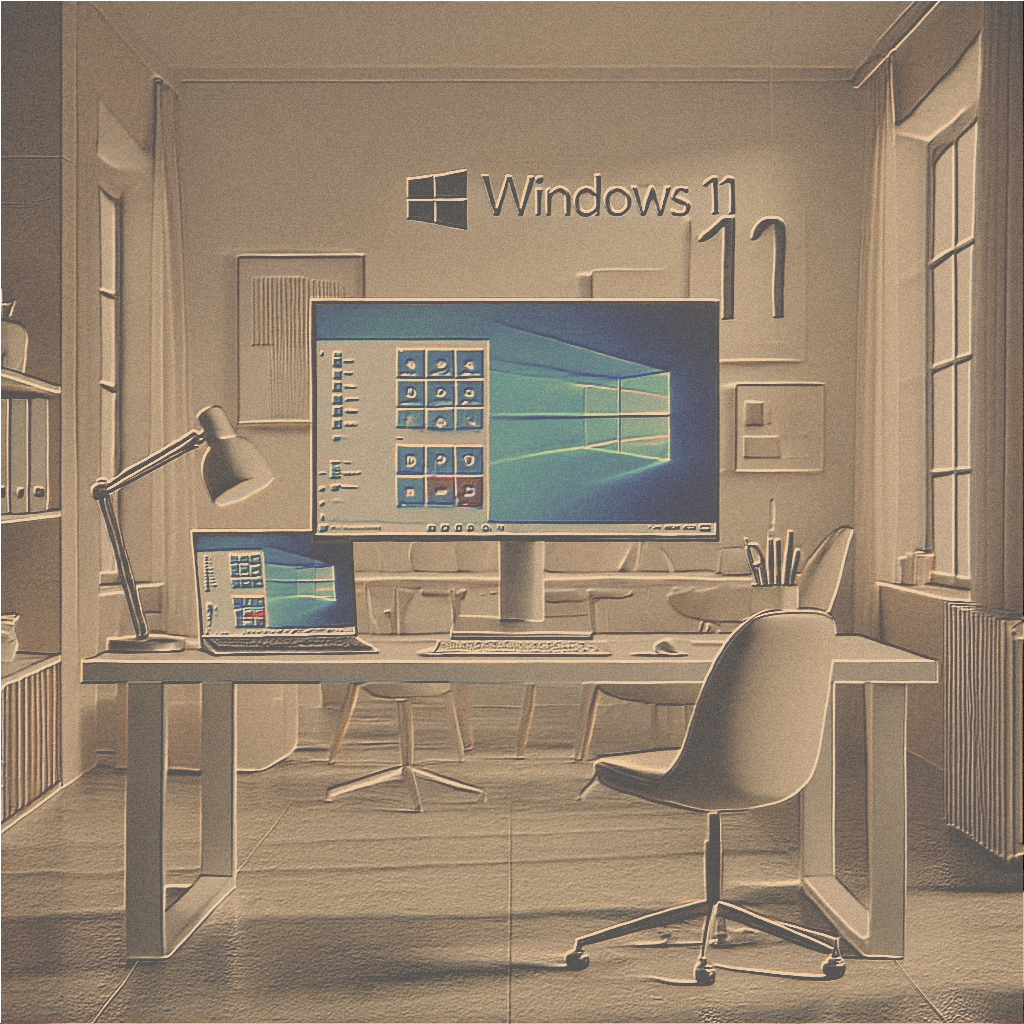
Is Your PC Ready for Windows 11? Here's How to Check!

Windows 11 brings numerous innovations, including a modernized interface, improved performance, and advanced security features. But before you upgrade, you should ensure your computer meets the system requirements.

What makes Windows 11 special?
Windows 11 offers an intuitive user interface, faster workflows, and optimized features for gaming and productivity. For many, it's a step towards the future of digital work, but PCs must meet certain requirements.

Minimum Requirements for Windows 11
Your PC needs:

  • Processor with at least 1 GHz and two cores (e.g., Intel Core 8th Gen or newer, or AMD Ryzen 2000).
  • 4 GB of RAM and 64 GB of storage.
  • UEFI with secure boot and TPM 2.0.
  • Graphics card compatible with DirectX 12.
  • Screen with at least 720p resolution.

How to find out if your PC is ready
Use Microsoft's official PC Health Check tool (https://aka.ms/GetPCHealthCheckAppAlternatively, you can check basic information about the processor and RAM in the Control Panel. For TPM 2.0 and Secure Boot, check your device's BIOS.

What to do if your PC isn't suitable?
If your PC doesn't meet the requirements, you have the following options:

  • Stay with Windows 10, which will be supported until October 2025.
  • Invest in a new Windows 11 compatible device.
  • Perform a hardware upgrade if technically feasible (e.g., a TPM module).

Get ready for the update
If your PC is ready, you should back up all important data, update your drivers, and install the latest Windows updates before performing the upgrade to ensure a smooth experience.

Conclusion
Windows 11 offers modern features and enhanced security: ideal for private and business users in Switzerland. Check today if your PC is ready for the upgrade!
The main features of Microsoft Windows 10 Professional that make it a worthwhile investment

Microsoft Windows 10 Professional It's not just an operating system: it's a complete tool designed to improve productivity and security. In this article, we'll highlight the key features that make it a valuable investment, especially when purchased as a 3-device license.

Key features:

  • Advanced security Features like BitLocker encryption and Windows Information Protection protect your data from unauthorized access.
  • Remote desktop: Access your device from anywhere, making it easy to work on the go or manage a remote team.
  • Windows Update for Business: Keep your devices secure and up-to-date with streamlined update management, minimizing disruptions.
  • Hyper-V Virtualization: Run multiple operating systems on your device without the need for additional hardware.

Why these features are important:

The advanced security and remote management features of Windows 10 Professional are ideal for businesses and professionals. The ability to run virtual machines with Hyper-V also makes it a versatile tool for developers and IT technicians.

Conclusion:

Microsoft Windows 10 Professional It offers a suite of features designed to meet the needs of modern businesses and professionals. A 3-device license ensures that you can extend these benefits across multiple workstations, maximizing your investment.

Microsoft Office 2016 Professional: Exploring New Features in Word

Microsoft Word 2016, part of the suite Office 2016 Professional, includes diverse new features designed to improve the document creation and editing experience. In this article, we will explore these new features and how they can increase your productivity.

Introduction to Word 2016

Word 2016 offers a range of tools and enhancements that make it easier to create professional-looking documents. From improved formatting options to advanced collaboration features, Word 2016 is designed to meet the needs of both casual and experienced users.

Real-time co-authoring

One of the most interesting features of Word 2016 is real-time co-authoring. It allows multiple users to edit a document at the same time, with changes appearing instantly. Use the Share button to invite colleagues to collaborate and track changes with improved version history.

Smart Lookup

The Smart Lookup feature integrates with Bing to provide contextual information and insights directly within Word. Simply highlight a word or phrase, right-click, and select Smart Lookup to access definitions, images, and related web content.

Improved formatting options

Word 2016 includes enhanced formatting tools that make it easy to create polished documents. Use the new Design tab to apply themes and styles, and leverage the improved alignment guides to ensure your content is perfectly positioned.

“Tell Me What You Want to Do” Feature

The Tell Me function acts as an intelligent assistant, helping you quickly find commands and functions. Type what you want to do in the Tell Me box, and Word will provide you with relevant options and guidance.

Ink Equations

Word 2016 supports Ink Equations, allowing you to write mathematical equations using a stylus or your finger. This feature is particularly useful for quickly and accurately creating complex mathematical expressions.

Enhanced reading mode

Word 2016's Read Mode offers a cleaner, distraction-free reading experience. It adjusts the document layout for easier reading and provides options to zoom, highlight text, and add comments.

Conclusion

Word 2016 introduces diverse new features that enhance document creation, editing, and collaboration. From real-time co-authoring to the Smart Lookup feature and advanced formatting options, Word 2016 is designed to make your work more efficient and professional.

PowerPoint 2019: Create engaging presentations with new features

Microsoft PowerPoint 2019 introduces a variety of new features that make it easier to create engaging and visually appealing presentations. In this article, we'll explore the main new features of PowerPoint 2019 and how to use them to improve your presentations.

Morphing Transition

The Morph transition allows you to create fluid animations and transitions between slides. By duplicating a slide and moving objects in the second, Morph will animate the movement, creating a professional and dynamic effect.

Zoom for PowerPoint

Zoom allows you to create interactive and non-linear presentations. You can create summary slides that link to different sections of the presentation, allowing you to navigate freely and focus on specific points.

Export video in 4K

PowerPoint 2019 supports exporting videos in 4K, allowing you to create high-resolution videos of your presentations. It's ideal for online sharing or viewing on large screens.

Improved icons and SVG support

PowerPoint 2019 includes a library of new icons and supports SVG (Scalable Vector Graphics) files. You can easily insert and customize icons and SVG files to visually enhance your slides.

Enhanced accessibility features

PowerPoint 2019 includes improved accessibility features, such as enhanced screen reader support and more efficient keyboard navigation. These features make it easier for everyone to create and interact with presentations.

New drawing and pen input tools

PowerPoint 2019 offers new drawing and ink tools that allow you to annotate slides and create custom illustrations. You can use a digital pen or your finger to draw directly on the slides.

Collaboration tools

The enhanced collaboration tools in PowerPoint 2019 make it easier to work with others on presentations. Co-authoring, shared files, and version history simplify teamwork and continuous updates.

Conclusion

Microsoft PowerPoint 2019 offers a range of new features and enhancements that make it easier to create engaging and visually effective presentations. By integrating these tools into your workflow, you can produce dynamic and interactive presentations that will capture your audience's attention.

The advantages of integrating Microsoft Windows 10 Professional with Microsoft services

Microsoft Windows 10 Professional it is designed to work seamlessly with other Microsoft services, offering a consistent and integrated experience for users.

Integration with Microsoft Office 365

Microsoft Windows 10 Professional integrates seamlessly with Microsoft Office 365, allowing users to access their documents, emails, and applications across multiple devices. This integration ensures your work is always synchronized and accessible, no matter where you are.

Azure Active Directory:

Businesses can leverage the integration with Azure Active Directory offered by Microsoft Windows 10 Professional. This feature allows for simplified IT management, easy access to cloud-based services, and enhanced security through Single Sign-On (SSO) capabilities.

Conclusion:

The seamless integration of Microsoft Windows 10 Professional Along with other services, Microsoft offers significant advantages for businesses and professionals. Whether it's accessing Microsoft Office 365 applications or managing IT infrastructure through Azure Active Directory, Microsoft Windows 10 Professional guarantees a cohesive and efficient experience.

Microsoft Office 2024 for Business: What You Need to Know

Microsoft Office 2024 it is an essential tool for businesses of all sizes. With its powerful features and enhanced collaboration tools, Microsoft Office 2024 helps businesses streamline operations and boost productivity. In this blog post, we will explore the key features of Microsoft Office 2024 that are particularly beneficial for businesses.

Business features:

  1. Advanced collaboration tools:
    • Microsoft Office 2024 includes enhanced collaboration features that make teamwork more efficient. With real-time co-creation, shared comments, and integration with Microsoft Teams, teams can collaborate seamlessly, regardless of their location.
  2. AI-driven insights:
    • AI-powered tools in Microsoft Office 2024 help businesses make data-driven decisions. AI-driven data analysis in Excel provides valuable insights, while Word's predictive text speeds up document creation.
  3. Enhanced security:
    • Microsoft Office 2024 comes with advanced security features to protect sensitive business data. Enhanced encryption, advanced threat protection, and data loss prevention measures ensure information security.
  4. Customizable workflows
    • Microsoft Office 2024 empowers businesses to customize workflows to their specific needs. From customized ribbon bars to tailored templates, companies can create an environment that fosters productivity and efficiency.

Conclusion:

Microsoft Office 2024 offers a range of features that are particularly advantageous for businesses. With advanced collaboration tools, AI-powered insights, enhanced security, and customizable workflows, Microsoft Office 2024 represents a valuable asset for any company looking to improve productivity and efficiency.

Are Microsoft Office apps free in 2021?

Microsoft Office It's been one of the leading productivity suites in the industry for decades, but many users are curious if there are any free Microsoft Office apps available in 2021.

Free versions of Microsoft Office apps

Microsoft offers several ways to access Microsoft Office apps for free:

  1. Microsoft Office OnlineMicrosoft offers free online versions of its most popular apps, including Word, Excel, PowerPoint, and OneNote. These browser-based apps can be used with a Microsoft account. While they offer basic functionality, some advanced features found in the desktop versions may be missing.
  2. Mobile appsThe Microsoft Office apps are available for free on mobile devices. You can download Word, Excel, PowerPoint, and OneNote from the app stores on both Android and iOS devices. These mobile versions are ideal for productivity on the go and include many of the core features of the desktop versions.
  3. Microsoft TeamsTeams, a collaboration platform that includes chat, video conferencing, and file sharing, is available for free. It integrates with Microsoft Office apps, allowing users to collaborate on documents in real time.

Limitations of free Microsoft Office apps

Although the free versions of Microsoft Office apps are quite functional, they have some limitations:

  1. Feature setFree versions may lack some advanced features available in paid desktop versions. For example, complex data analysis tools in Excel or advanced design features in PowerPoint may not be available.
  2. Storage spaceMicrosoft Office Online is based on OneDrive for storage, and free accounts offer limited capacity (5 GB). Users who need more space will have to purchase additional space.
  3. Internet connectionMicrosoft Office Online and some mobile app features require an internet connection to function, which can be a limitation for those who need offline access.

Alternatives to paid Microsoft Office subscriptions

For users who need more than what free versions offer but don't want to subscribe, there are alternative solutions:

  1. One-time purchaseMicrosoft Office 2021 is available as a one-time purchase, offering full access to the suite without recurring costs.
  2. Free alternativeOther productivity suites like Google Workspace (formerly G Suite) and LibreOffice offer free and valid alternatives to Microsoft Office.

Conclusion

The apps Microsoft Office They are available for free through Microsoft Office Online and the mobile apps, offering basic functionality for everyday tasks. However, for more advanced features and offline access, you may need to purchase a subscription or a one-time license. Free alternatives like Google Workspace and LibreOffice also represent valid options for those looking for cost-effective productivity tools.

Why Microsoft Windows 10 Professional Is Ideal for Remote Work

In today's world, remote work has become increasingly common. Microsoft Windows 10 Professional offers features that make it an ideal choice for remote workers.

Remote desktop

The Remote Desktop feature in Microsoft Windows 10 Professional allows you to access your office PC from anywhere, ensuring seamless work from home or on the go.

Advanced security

With built-in security features like BitLocker and Microsoft Windows Defender, Microsoft Windows 10 Professional protects your data even while working remotely.

Productivity tools

Microsoft Windows 10 Professional includes productivity tools like Microsoft Office and OneDrive, making it easier to collaborate with colleagues and manage files from any location.

Conclusion

For remote workers, Microsoft Windows 10 Professional It provides the tools and security you need to work efficiently from anywhere. Consider upgrading to Microsoft Windows 10 Professional for a seamless remote work experience.

Microsoft Office per studenti: come sfruttarlo al meglio

Microsoft Office è uno strumento prezioso per gli studenti, offrendo una gamma di applicazioni a supporto del lavoro accademico. Dalla stesura di relazioni alla creazione di presentazioni, Microsoft Office fornisce tutto ciò di cui gli studenti hanno bisogno per avere successo.

Utilizzare Word per scrivere relazioni

Microsoft Word è l’applicazione ideale per scrivere saggi e relazioni di ricerca. Offre funzionalità come il controllo grammaticale e ortografico, strumenti di formattazione e gestione delle citazioni, rendendo più semplice la creazione di documenti curati e professionali.

Excel per l’analisi dei dati

Excel è uno strumento potente per gestire e analizzare dati. Gli studenti possono utilizzare Excel per organizzare dati di ricerca, eseguire calcoli e creare grafici per visualizzare le informazioni.

PowerPoint per le presentazioni

PowerPoint è ideale per creare presentazioni coinvolgenti. Con una varietà di modelli, strumenti di design e integrazione multimediale, gli studenti possono realizzare diapositive visivamente accattivanti a supporto delle loro esposizioni.

OneNote per prendere appunti

OneNote è un taccuino digitale versatile che aiuta gli studenti a organizzare appunti, idee e ricerche. Con funzionalità come il riconoscimento della scrittura, la registrazione audio e l’integrazione con altre applicazioni di Microsoft Office, OneNote è perfetto per conservare tutte le informazioni in un unico posto.

Outlook per email e pianificazione

Outlook aiuta gli studenti a gestire email e calendari. Con la condivisione del calendario, la gestione delle attività e l’organizzazione delle email, Outlook assicura che gli studenti siano sempre aggiornati su comunicazioni e scadenze.

Accesso gratuito a Microsoft Office

Molte istituzioni educative offrono agli studenti l’accesso gratuito a Microsoft Office 365. Verifica con la tua scuola se sei idoneo per un abbonamento gratuito, che include le ultime applicazioni Microsoft Office e spazio di archiviazione cloud con OneDrive.

Collaboration tools

Microsoft Office offre diversi strumenti di collaborazione utili per i lavori di gruppo. Gli studenti possono lavorare insieme in tempo reale su documenti Word, fogli Excel e presentazioni PowerPoint, facilitando la collaborazione e la condivisione di idee.

Conclusion

Microsoft Office offre una suite completa di strumenti che possono essere di grande beneficio per gli studenti. Sfruttando applicazioni come Word, Excel, PowerPoint, OneNote e Outlook, gli studenti possono aumentare la produttività, restare organizzati e ottenere successo accademico.

Esplorando le differenze: Microsoft Windows 11 Home vs. Microsoft Windows 11 Professional

Nel mondo dei sistemi operativi, Microsoft Windows si afferma come un pilastro fondamentale, alimentando milioni di dispositivi in tutto il mondo. Con l’arrivo di Microsoft Windows 11, Microsoft ha introdotto diverse edizioni pensate per soddisfare le esigenze di diversi tipi di utenti. Tra queste edizioni, Microsoft Windows 11 Home e Microsoft Windows 11 Professional emergono come scelte popolari, ciascuna rivolta a necessità specifiche. Intraprendiamo un viaggio per svelare le differenze tra queste due versioni.

Microsoft Windows 11 Home: all’insegna della semplicità

Pubblico di riferimento: Microsoft Windows 11 Home si rivolge principalmente a utenti individuali e famiglie. Mira a offrire un’esperienza informatica fluida per le attività quotidiane, soddisfacendo le esigenze di famiglie, studenti e utenti occasionali.

Funzionalità:

Interfaccia familiare: Microsoft Windows 11 Home eredita l’interfaccia elegante e intuitiva delle versioni precedenti, garantendo una navigazione semplice per utenti di tutti i livelli.

Microsoft Store: L’accesso al Microsoft Store consente agli utenti di scaricare un’ampia gamma di applicazioni, giochi e contenuti multimediali, arricchendo l’esperienza informatica.

Integrazione con Cortana: Cortana, l’assistente virtuale di Microsoft, è integrato in Microsoft Windows 11 Home, offrendo funzionalità vocali e assistenza personalizzata.

Microsoft Windows Update: Gli aggiornamenti automatici assicurano che gli utenti dispongano sempre delle ultime patch di sicurezza e dei miglioramenti delle funzionalità, aumentando l’affidabilità del sistema.

Limitazioni:

Funzionalità di rete: Microsoft Windows 11 Home non include funzionalità di rete avanzate come l’unione a domini o la gestione dei criteri di gruppo, rendendolo meno adatto agli ambienti professionali.

Sicurezza: Sebbene Microsoft Windows 11 Home includa misure di sicurezza essenziali, potrebbe non offrire le funzionalità robuste richieste da aziende e organizzazioni.

Microsoft Windows 11 Professional: al servizio di aziende e imprese

Pubblico di riferimento:

Microsoft Windows 11 Professional è pensato per aziende, imprese e utenti esperti che necessitano di funzionalità avanzate e sistemi di sicurezza solidi per soddisfare esigenze organizzative.

Funzionalità:

Sicurezza avanzata: Microsoft Windows 11 Professional include funzionalità di sicurezza avanzate come la crittografia BitLocker, Microsoft Windows Defender Antivirus e Microsoft Windows Hello for Business, per proteggere i dati sensibili e ridurre i rischi informatici.

Connettività aziendale: Funzioni come Domain Join, Gestione dei criteri di gruppo e Desktop remoto permettono agli amministratori IT di gestire e proteggere più dispositivi in rete in modo efficiente.

Virtualizzazione: Microsoft Windows 11 Professional supporta tecnologie di virtualizzazione come Hyper-V, consentendo agli utenti di creare ed eseguire macchine virtuali per test, sviluppo e compatibilità software.

Aggiornamenti flessibili: Con Microsoft Windows Update for Business, le organizzazioni hanno maggiore controllo sull’implementazione degli aggiornamenti, riducendo al minimo le interruzioni della produttività.

Prezzo e licenza:

Microsoft Windows 11 Professional ha solitamente un prezzo più elevato rispetto a Microsoft Windows 11 Home, in virtù delle sue funzionalità di livello aziendale e delle condizioni di licenza pensate per l’uso commerciale.

Conclusion

In sostanza, la differenza tra Microsoft Windows 11 Home e Microsoft Windows 11 Professional risiede nel pubblico di riferimento, nelle funzionalità offerte e nella struttura dei prezzi. Mentre Microsoft Windows 11 Home privilegia semplicità e accessibilità per utenti individuali e famiglie, Microsoft Windows 11 Professional risponde alle esigenze più complesse di aziende e organizzazioni, offrendo maggiore sicurezza, capacità di gestione e supporto alla virtualizzazione. Comprendere queste differenze aiuta gli utenti a prendere decisioni informate in base alle proprie esigenze e preferenze informatiche.